Quick access to your applications
Application Wizard lets you control your applications from one place.
Top Recommended Alternative

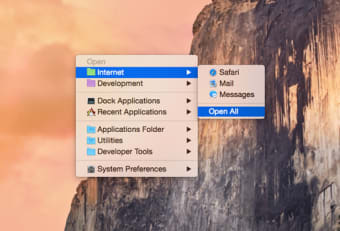
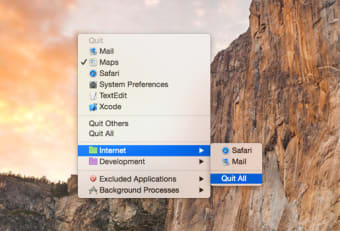
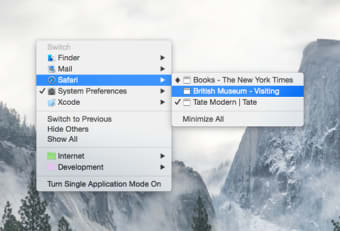
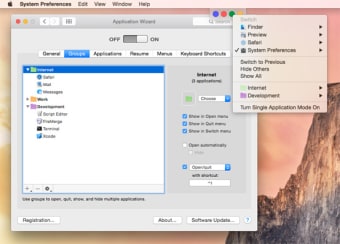
The program allows you to open, close and switch from applications in seconds. You can also browse through all of them via Application Wizard's expandable menu view. The program lets you create and open groups of applications, depending on your needs, and find frequently used apps. You'll be able to set behaviors for applications, like if they open up at startup or for background-only applications to quit.
The transparent interface is unobtrusive and actually quite elegant on your Mac and having all applications shown in a menu view puts everything in your reach. When closed, the application is still available as a little panel in your menu bar, which you can also set anywhere else on the screen. It did feel a bit unintuitive, as you do not know what each light corresponds to.
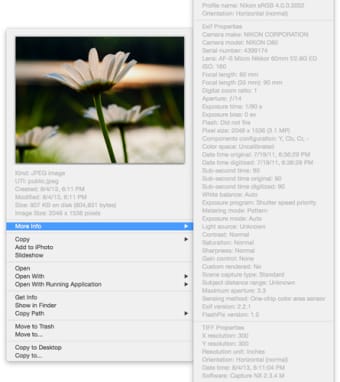
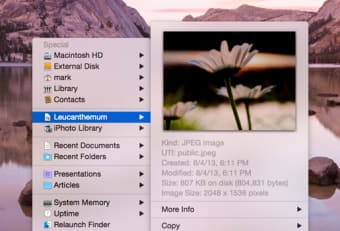
Application Wizard almost works as a replacement to your Dock and Finder, as it not only shows applications, files and drives but also available and used space. You can also preview files and images. Although some of these things you'll more or less get in Leopard, Application Wizard offers up a new way to browse through your Mac.
Application Wizard lets you handle all your Mac's content from one sleek menu.
Changes
* Application Wizard lets you now choose what types of volumes appear in the Special menu and allows you to eject disks, partitions, and servers and mount ejected disks. * On Mac OS X 10.5 or later, the Recent Documents and Recent Servers items can now be added to the Special menu so that you can quickly open recently used files and connect to recently used servers. * The Activity Monitor command has been added to the System Memory submenu so that you can quickly open Activity Monitor and learn more about the processes running on your computer and their memory usage. * The Aperture Library submenu now fully supports Aperture 3. * The iPhoto Library submenu solves some incompatibilities with iPhoto '09, fixes some bugs, and lets you see how your published albums appear online. * The opening of aliases from the Special menu has been enhanced. In addition to that, you can now resolve aliases in the Special menu. * Application Wizard lets you now disable previews for files located on shared computers and file servers. * The Switch to Previous command has been added to the Switch menu. * Single application mode allows you now to temporarily show multiple applications so that you can use them together. * Application Wizard lets you now define keyboard shortcuts to quickly accomplish frequent tasks. * If you use hot keys to display the Open, Quit, Switch, and Special menus, you can now choose where menus appear on the screen. Besides the pointer position, you can now display menus in a screen corner or centered on the screen. * A bug, introduced in version 2.4, causing the Open and Special menus not to show the Classic Applications Folder item and the Start/Stop/Restart Classic commands when Classic is installed has been fixed. * A bug, introduced in version 2.4, causing the Applications panel not to list non-bundled applications has been fixed. * Several other minor bugs have been fixed and several minor improvements have been introduced.